
Home · Guides / 1
Guide 1 of 5
How to create a .onion service
A .onion server needs Linux. These steps use Ubuntu. You can reuse the VM from the address guide, or a host on AWS, Azure, or Alibaba Cloud.
Install Tor
-
Install Tor from APT.
sudo apt install tor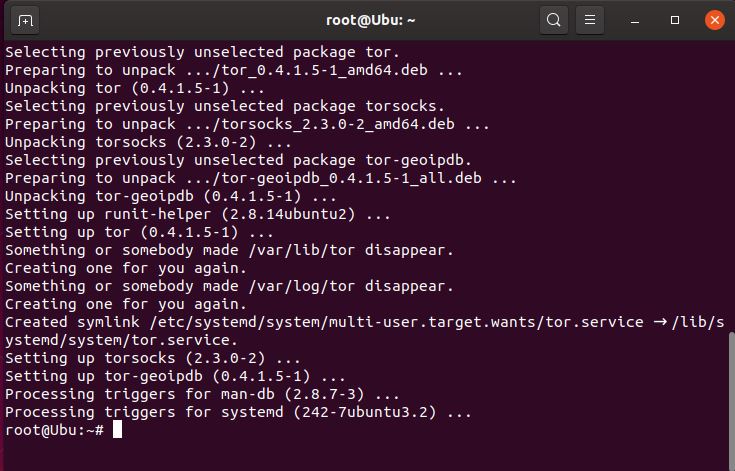
Installing the Tor package on Ubuntu. -
Confirm Tor is listening on port 9050.
ss -nlt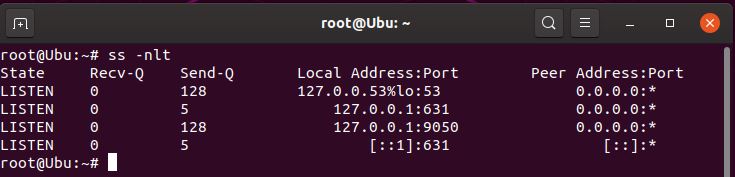
Look for a listener on port 9050. -
Check the installed Tor version.
tor --version
Confirm you have a current Tor package. -
Compare your public IP with the address seen through Tor.
Public IP:
wget -qO - https://api.ipify.org; echoTor IP:
torsocks wget -qO - https://api.ipify.org; echo
The two addresses should differ if Tor is working.
Enable the hidden service
-
Edit Tor’s config file.
sudo vi /etc/tor/torrc
The main Tor configuration file. -
Scroll until you find these commented lines:
#HiddenServiceDir /var/lib/tor/hidden_service/ #HiddenServicePort 80 127.0.0.1:80 -
Remove the
#so the service is enabled:HiddenServiceDir /var/lib/tor/hidden_service/ HiddenServicePort 80 127.0.0.1:80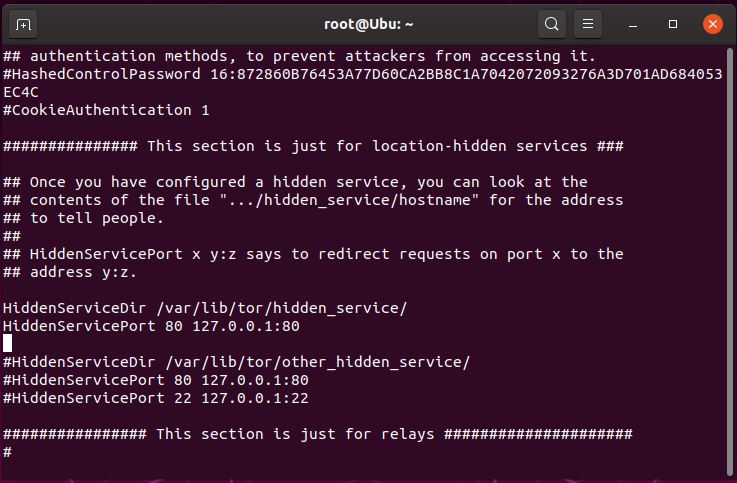
Uncomment only the hidden service directory and port 80 lines. -
Save and quit vi: press Esc, then type
:wqand press Enter.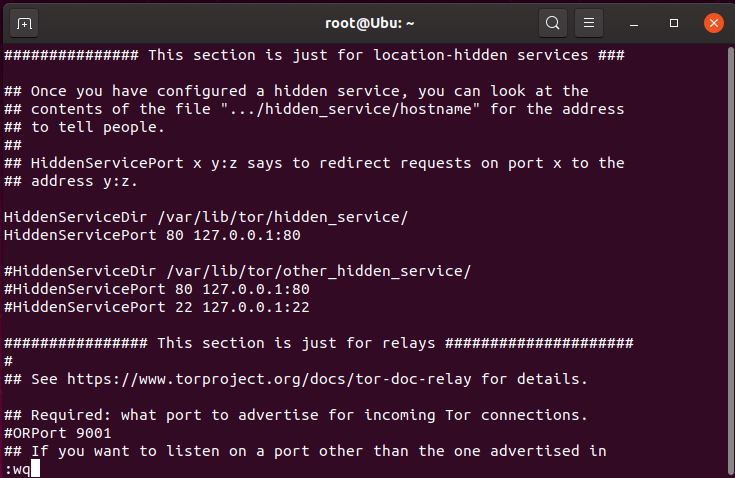
Write the file and exit the editor. -
Restart Tor so the hostname keys are created.
sudo service tor restart
After a clean restart, Tor publishes the service.