
Home · Guides / 3
Guide 3 of 5
Use a custom .onion address
If you generated keys with mkp224o, replace the default hostname Tor created in guide 1.
Swap in the vanity keys
-
Note the current hostname in case you still want it.
cd /var/lib/tor/hidden_service/
cat hostname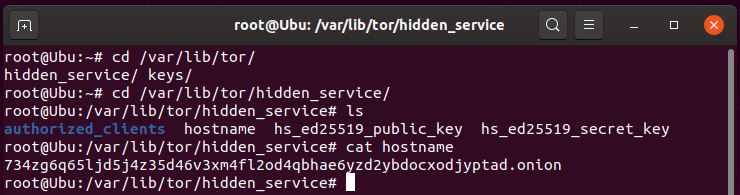
The default address Tor created on first start. -
Remove or move the old keys if you are switching address.
cd /var/lib/tor/hidden_service/
sudo rm -rf *
This is destructive Once the keys are gone, the old .onion address cannot be recovered. Copy them somewhere safe first if you might need them.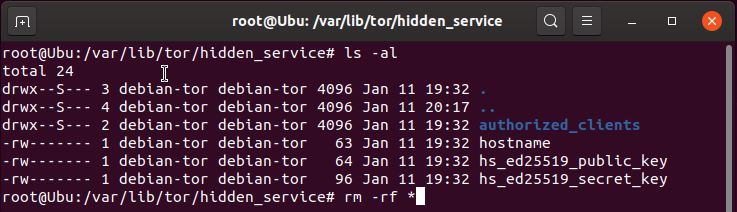
The hidden service directory after the default keys are removed. -
Find the generated key folder.
cd /home/<your username>/Downloads/mkp224o/<key folder name>/<key folder>/Example:
cd /home/user/Downloads/mkp224o/websitekeys/websitehz44l75xucojrrqofi4v7rn4y75wu6ocn7zbwjazgr44prfyd.onion/
ls -al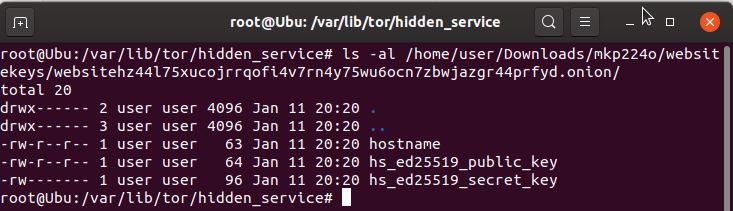
The vanity key set ready to copy. -
Copy the keys into the hidden service directory.
sudo cp * /var/lib/tor/hidden_service/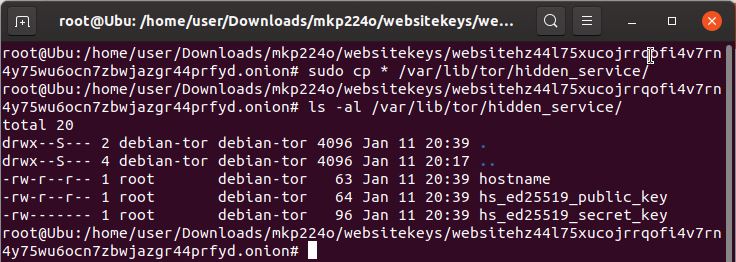
Keys copied to Tor’s hidden service path. -
Give ownership to the Tor service account.
sudo chown debian-tor:debian-tor /var/lib/tor/hidden_service/*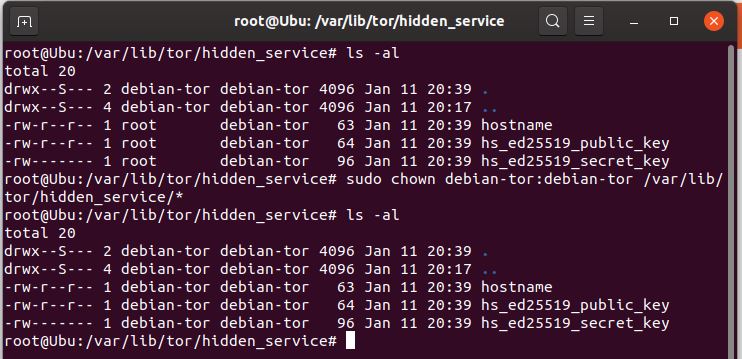
Tor must own the key files to read them. -
Restart Tor.
sudo service tor restart
After restart, cat hostnameshould show the vanity address.